Best Self Control Apps for Android (2026)
Disclosure: Arise is our product. Other apps evaluated from public data. Last reviewed: April 2026.
“Self-control app” is an honest search. You’re admitting you can’t control your phone usage on your own, and you need software to do it for you. That’s not weakness. That’s realistic. 49% of Americans feel addicted to their devices. If willpower worked, half the country wouldn’t be searching for an app to substitute for it. One Reddit user described the loop most people arrive here from: “I tried to quit doom scrolling for over a year. Deleted apps. Set screen time limits. Every time, I was back within 48 hours.”
Here are the Android apps that try to be your willpower, organized by how strictly they lock you down.
The strictness spectrum
Self-control apps range from gentle nudges to full phone lockdowns. Where you need to be on this spectrum depends on how many times you’ve already tried and failed.
Gentle: ScreenZen
Price: Free | Strictness: Low
Adds a pause before opening distracting apps. Countdown timer, daily open limits, mindful prompts. You can still open everything; the app just makes you think about it first. Free forever with no ads. Full review in our app blocker roundup.
Try if: You’ve never used a self-control app before. Start with the lowest intervention.
Moderate: One Sec
Price: Free (1 app), Pro €15/yr | Strictness: Medium
Forces a breathing exercise, math problem, or other task before opening apps. Multiple intervention types rotate to slow adaptation. Also offers hard blocking in newer versions. More details in our roundup.
Try if: ScreenZen’s simple pause isn’t enough friction.
Strict: AppBlock
Price: Freemium, $30/yr | Strictness: High
Blocks apps by schedule, location, or usage limits. Strict Mode locks the block with a PIN and prevents changes until the timer expires. Can prevent uninstalling during a session. Detailed review.
Try if: You need a hard wall that you physically cannot bypass during a session.
Nuclear: Lock Me Out
Price: Free (basic), $2.50 lifetime | Strictness: Very high
Locks your entire phone during scheduled times. Not individual apps. The whole phone. You can still receive calls and use the emergency dialer. Everything else is locked. The strictest self-control app available on Android.
Try if: Individual app blocking isn’t enough because you migrate between apps. Phone-level locking stops all digital distraction simultaneously.
Stay Focused
Price: Free (basic), Premium available | Strictness: High
Combines app blocking, usage limits, and strict mode features. Can block the phone entirely or specific apps. Offers daily, hourly, and launch count limits with various lock types.
Try if: You want granular control over multiple limit types without paying AppBlock’s subscription.
The self-control paradox
Every app on this list has the same built-in contradiction: the self-control app requires self-control to use.
You have to enable Strict Mode. You have to activate Lock Me Out before the evening scroll starts. You have to configure your schedules during a clear-headed moment and trust that your future self will respect them.
The apps can’t control you without your permission. You gave them permission this morning. You can revoke it tonight. Even Lock Me Out can be uninstalled (it requires a convoluted process, but people figure it out when they want to). The strictest self-control app is still running on a phone you own.
This is the paradox: if you had enough self-control to consistently use a self-control app, you probably wouldn’t need one. The people who need these apps the most are the ones least likely to maintain them. Not because they’re lazy. Because the addiction interferes with the executive function required to sustain the tool. As one Reddit user put it, even with the apps installed: “I still end up unlocking ‘just to check something’ and suddenly 40 minutes are gone.”
What if self-control wasn’t required?
Arise approaches the problem from the opposite direction. Instead of asking for your self-control upfront, it breaks the trance the feeds put you in, so self-control becomes less necessary. The reframe one Reddit user landed on: “Your inability to focus is not a discipline problem… It was engineered. Deliberately.” If the problem was built on purpose, willpower was never the right tool against it.
You pick your life-stealing apps and websites. After a grace period, a visual reminder appears over them and grows stronger the longer you stay. Hellfire at the edges. Cracking glass. Insects crawling across the feed. Frost spreading over the screen. The phone still works. Everything is accessible. But the reminder keeps pulling you back to the life waiting outside the screen. You can keep scrolling. But you won’t want to.
No strict mode to enable. No schedule to configure. No daily reset of your commitment. You set it up once and it runs in the background. Put the phone down and the reminder fades. Pick it back up and it resumes from where you left off.
The self-control required: install the app once, pick your apps, and set a grace period. After that, it handles itself. The tired, 11pm, no-willpower version of you meets the same reminder as the motivated morning version. There’s no setting to disable, unless you’ve asked it to block. The reminder is just there.
Session-based tracking means the reminder scales with behavior: 10 minutes past grace is a faint reminder. 30 minutes is noticeable. 60 minutes is impossible to ignore. And 3 minutes of phone-down time forgives 1 minute of phone-on time, so taking a break immediately improves things.
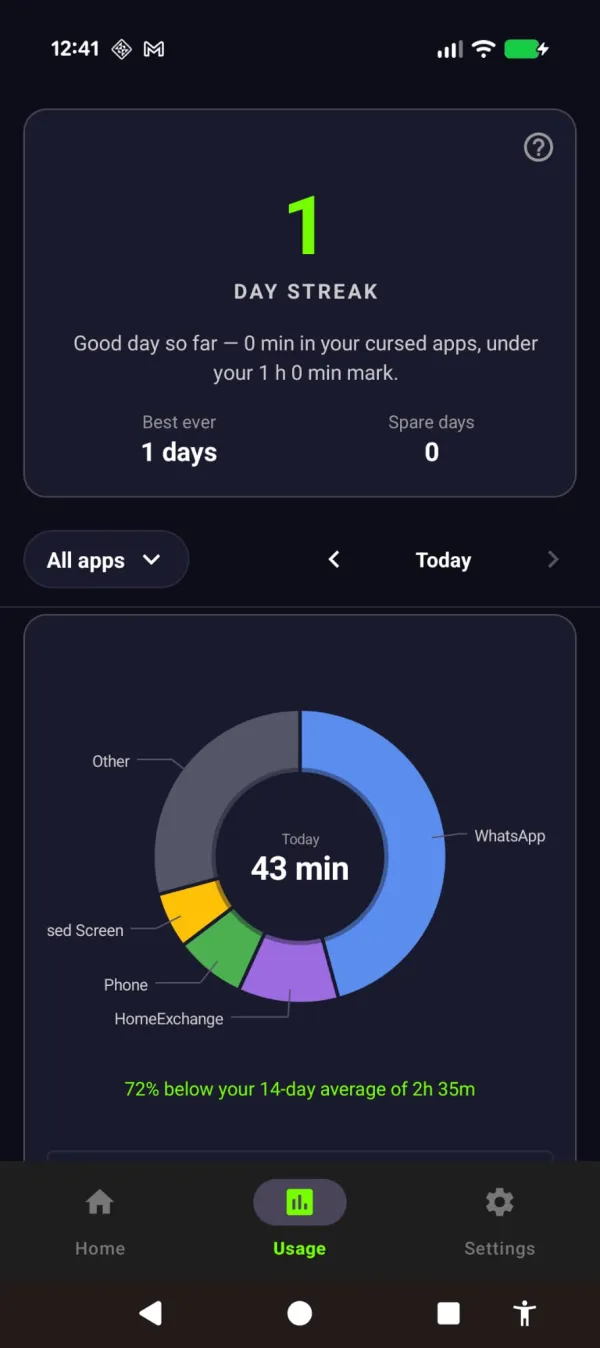
A streak rewards the days you stay under your limit. No willpower ledger to keep.
For people who want encouragement instead of hellfire, the aurora and sunlight themes wash the screen in light, with messages like “the world misses you.” Same mechanism. Different feeling.
Which level do you need?
Be honest about your history.
First attempt at phone control? ScreenZen. Free. Low-commitment. Might be enough.
Tried gentle friction, didn’t hold? AppBlock with Strict Mode. The hard wall.
Tried strict blockers, kept disabling them? Lock Me Out for phone-level locking. The nuclear option.
Tried everything, nothing survived your worst evening? Arise. Free to use on Android and iPhone (on iPhone it blocks apps; the visual reminders are Android only). Premium themes, focus mode and Child Lock come with a monthly, yearly or lifetime plan. Doesn’t ask for self-control. Changes what happens when you don’t have any.
The search for the perfect self-control app ends when you find one that works without relying on the thing you don’t have.
Take back your life from your phone
Your phone is built to keep you scrolling. Arise breaks the trance with visual reminders that grow the longer you stay, and it can lock an app when you want a hard stop.
Get Arise on Google Play