Parental Control Apps Don't Work on Teens
Parental control apps assume the parent is the warden and the child is the prisoner. Block this. Monitor that. Get alerts when they open TikTok. Review their search history. Enforce a 9pm lockdown.
Your teen bypasses it within a week. Now they know how to use a VPN, and they trust you less than before you installed the software.
54% of parents believe their child is addicted to screens. They’re probably right. Teens aged 13-17 spend over 7 hours daily on screens outside of schoolwork — more screen time than they spend sleeping. 50% of teens identify as addicted to their phones, and 59% of parents agree. The problem is real. The parental control approach to solving it is not.
The surveillance model is broken
Traditional parental control apps like Qustodio, Bark, and Family Link work by giving parents remote control over their child’s phone. Block specific apps. Set time limits. Monitor messages. Get reports on what they searched, who they texted, how long they spent on YouTube.
This works when the child is 7. It breaks when they’re 13.
Teenagers are wired to push against external control. That’s not defiance. It’s developmental. Autonomy-seeking is a normal part of adolescence. When you install surveillance software on their phone, you’re not teaching them self-regulation. You’re teaching them to evade surveillance. They learn to use friends’ phones, create alt accounts, use browsers that don’t track, and clear their history. The skills they develop aren’t self-control. They’re counter-surveillance.
And you lose something harder to rebuild: trust. Almost half of teenagers already think their parents get distracted by their own phones. Installing monitoring software while you scroll Instagram at the dinner table sends a message that’s hard to unhear: “I don’t trust you, but I don’t hold myself to the same standard.”
Screen time limits hit the same wall
Built-in parental controls on Android and iOS let you set app timers and bedtime schedules for your child’s device. These are less invasive than full monitoring apps. They’re also less effective.
Your teen learns to dismiss the timer within the first session. On iOS, they figure out the Screen Time passcode (or you gave it to them for “emergencies”). On Android, they disable Digital Wellbeing in settings. Only 12% of smartphone users actively use built-in screen time limits. Teens are even less likely to keep them enabled than adults.
Time limits also create a binge dynamic. Your teen has a 2-hour daily limit on TikTok. They use the full 2 hours in a single session, scrolling as fast as possible to maximize what they can watch before the wall comes down. Total screen time drops. Quality of engagement doesn’t change. They’re still consuming 300 videos. They’re just doing it faster.
The real problem isn’t access
Your child doesn’t have a phone problem because you gave them too much access. They have a phone problem because the phone was designed to be addictive, and no one taught them how to recognize what that feels like.
Parental controls don’t teach recognition. They teach compliance (temporarily) or evasion (permanently). Your teen never learns to notice the moment when casual browsing tips into compulsive scrolling, because a parental control app does the noticing for them. Remove the app and they’re right back to 7 hours a day, with no internal signal telling them to stop.
The alternative is helping them develop that internal signal. Which is harder, slower, and less satisfying than installing an app with a dashboard. But it’s the only approach that survives past the age when you control their phone. The same logic applies to adults trying to figure out how to break phone addiction — the fix has to live inside them, not on a dashboard.
Think about it this way. In two years, your teen turns 18 and every parental control stops working. They have their own phone, their own plan, their own accounts. If the only thing standing between them and 7 hours of TikTok was your monitoring app, they’ll spend 7 hours on TikTok. If they’ve developed a visceral sense that extended scrolling feels wrong, they’ll put the phone down on their own. You’re not parenting for this year. You’re parenting for the year after you stop having access.
What if the phone taught the lesson instead of you?
This is the idea behind Arise. The phone is designed to put your teen in a trance. Instead of a parent blocking apps or setting limits, Arise breaks the trance from inside the phone, with visual reminders that pull them back to the life outside the screen.
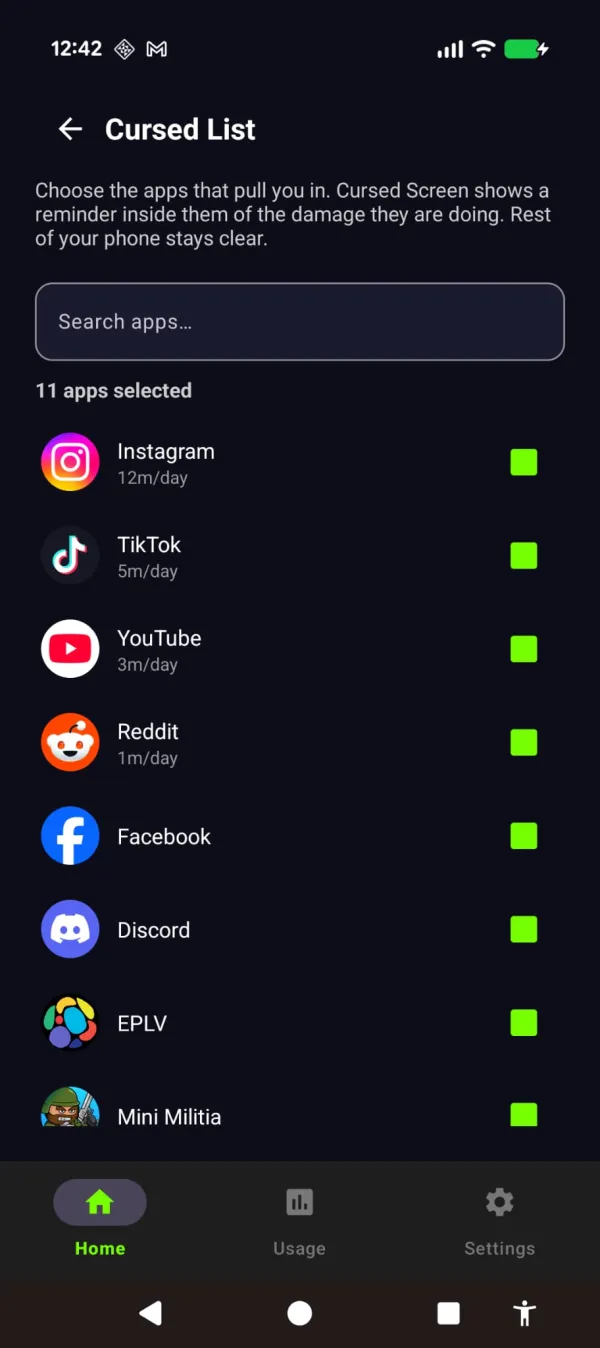
Your teen picks their life-stealing apps. After a configurable grace period, a visual reminder appears over them and grows stronger the longer they stay. Flames licking at the edges. Bugs crawling over the screen. Glass cracking. Newer themes slowly fill more of the screen: frost spreading across the glass, water rising from the bottom. On Android, nothing is blocked unless they ask it to. All apps still work. All taps go through. The scroll just starts to feel wrong. Put the phone down and the reminder fades.
The teen keeps full control. There’s no surveillance, no reports sent to parents, no passcode to hack. The reminder is immediate, visual, and self-contained. They don’t need you to enforce it. The phone shows them what the scroll is taking.
This changes the dynamic from “my parent is controlling my phone” to “my phone is telling me I’ve been on it too long.” That’s a fundamentally different relationship. The authority isn’t external (parent, app, timer). It’s environmental. The phone changes, and the teen responds to the change, and over time they start to notice the trance for themselves. That noticing is the internal signal that parental controls never build.
There are positive themes too. Instead of hellfire and bugs, aurora borealis or golden sunlight washes over the feed, or butterflies and wildflowers slowly fill it, with text that says “the world misses you” or “someone is smiling nearby.” For teens who respond better to a gentle pull than a push, these themes remind them what they’re missing. Some teens will respond to bugs on their screen. Others will respond to sunlight reminding them it’s nice outside. Let them choose.
For parents who scroll too much themselves
Be honest. You’re reading this article about your teen’s screen time. How much of your own screen time today was intentional?
49% of parents rely on screen time every day to manage parenting responsibilities. 28% hand over a screen to avoid a meltdown multiple times a week. Your relationship with your phone is your child’s first model for their relationship with theirs.
Install Arise on your phone first. When your kids see hellfire creeping across your screen and you put the phone down, that’s modeling. That’s a conversation starter. It’s more credible than a lecture about screen time limits from someone whose own phone logs 5 hours a day.
Kids learn screen habits from watching you, not from hearing you. If your phone sits face-up on the dinner table and you glance at every notification, your teen will do the same thing regardless of what rules you set for them. If your teen sees the edges of your screen on fire and watches you put the phone away, that communicates something words never could.
The family version of this: everyone installs it. Parents and teens. Same app, same rules, same visual reminder. No surveillance. No hierarchy. Just phones that pull anyone back when they’ve stayed too long. The dinner table conversation shifts from “get off your phone” to “look how long I’ve been on mine” — which is a much better conversation.
The practical setup for families
If you’re going to try this approach:
- Install together. Don’t put it on your teen’s phone secretly. That’s just another parental control with extra steps. Sit down and set it up as a family.
- Let your teen pick their theme. Hell, bugs, cracking glass, or the positive themes (aurora, sunlight with encouraging messages). Giving them the choice reinforces that this is their tool, not your enforcement.
- Set reasonable grace periods. 30 minutes of free use before the reminder starts is a good baseline for daily tracking. For shorter sessions after school, try session-based tracking with a 10-minute grace period.
- Only list the feeds. Leave messaging apps, school tools and music off the list. The reminder should target the scroll, not the group chat.
- Don’t monitor their settings. If they change the grace period or turn it off, that’s their choice. The point is self-regulation, not parent-imposed regulation. If they turn it off and go back to 7 hours a day, that’s a conversation, not a settings change you make on their behalf.
You choose which apps count and what stays untouched — together, out in the open.
For younger kids who borrow your phone, Arise also has Child Lock (Premium): set a timer, choose which apps they can open, and the phone locks when the time runs out.
Arise is free to use on Android and iPhone (on iPhone it blocks apps; the visual reminders are Android only). Premium themes, focus mode and Child Lock come with a monthly, yearly or lifetime plan. No accounts. No personal data collected. No parent dashboard. Just a reminder that grows the longer you stay in the scroll — for everyone in the family equally.
Take back your life from your phone
Your phone is built to keep you scrolling. Arise breaks the trance with visual reminders that grow the longer you stay, and it can lock an app when you want a hard stop.
Get Arise on Google Play